Everything the desktop app did — and more: the battle-tested Golden Inventory workflow, rebuilt for the cloud and your phone.
🧾
Sales & invoicing
Estimates → sales orders → invoices with one-click conversion, allocation, discounts, taxes and email delivery.
Learn more →
📦
Purchasing & receiving
Purchase orders, receive against a PO with per-line progress, and auto-create POs from reorder points by preferred vendor.
🏬
Multi-warehouse stock
Real-time on hand, ordered, allocated and available per location. Transfers between warehouses. Moving-average cost.
Learn more →
🛒
Point of sale
Full-screen touch POS with a department grid, camera or USB barcode scanning, cash-and-change and card sales.
Learn more →
🔧
Manufacturing
Bills of materials and work orders: consume components, build assemblies, and cost them automatically.
📊
Reports & labels
Stock, valuation, reorder, sales and purchases, AR/AP aging — export to CSV. Print barcode labels for your shelves.
💳
Payments (AR/AP)
One payment across many invoices or bills, partial payments, on-account credit, and printable customer/vendor statements.
Learn more →
👥
Team & roles
Invite your team with roles from POS-only to owner. One login, several companies for accountants.
⬆️
Import & migrate
CSV and Excel import with column mapping. Bring your entire Golden Inventory .mdb across in one upload.
Learn more →
📶
Works offline
Keep selling, receiving and invoicing with no connection. Changes queue on the device and sync automatically — with conflict-safe merges — the moment you're back online.
Learn more →
✅
Online quote approval
Send a customer a private link to your estimate. They accept or decline in their browser, and an accepted quote becomes a sales order automatically.
🎨
Your branding & custom reports
Print templates with your logo, translated titles and A4 or 58/80 mm receipts — plus a report builder to answer questions the fixed reports don't.
☑️
Per-line quote acceptance
Let customers pick which estimate lines to accept — only those become the sales order. Each line's choice is recorded for review.
🔢
Serial & lot tracking
Track by serial number or lot with expiry dates. FEFO picking (earliest expiry first), lot traceability and expiring-lot alerts.
🔄
Reorder automation
One screen: every item below minimum, grouped by preferred vendor, with suggested quantities. One click to create all draft purchase orders.
Learn more →
🔧
Labor & service billing
Add labor lines to estimates and invoices — hours × rate by technician. Report revenue and hours per technician.
🚗
Vehicle & asset history
Attach vehicles, equipment or machines to documents. Track meter readings, VIN, and full service history per asset.
Learn more →
🍽️
Recipe costing & back-flush
Selling a recipe auto-consumes its ingredients from stock. Yield-adjusted costing, BOM cost calculator, cancel restores ingredient stock.
🍽️
Restaurant & table service
Waitstaff take orders by seat and course on their phones. Split the bill per guest. Courses fire to the kitchen in stages with course-level tracking.
👨🍳
Kitchen display
Any browser device becomes the kitchen board — tickets arrive with a sound alert. Tap to advance: pending → preparing → ready. No proprietary hardware.
📧
Email & sub-locations
One-click email PDF documents from your SMTP address — or fall back to mail app, Gmail or Share. Locations form a tree of bins, aisles and shelves for precise stock placement.
💳
Card terminals & Z-report
Register SumUp, Zettle, Stripe or Viva terminals. Payments carry a terminal reference. End-of-day totals by payment method for instant drawer reconciliation.
📱
Scan-first warehouse
Receive and ship with your phone camera — scan items against a PO or pick for a sales order. Over-ship warnings catch mistakes before they hit inventory.
Learn more →
📖
Live built-in manual
Every function documented in a searchable user manual inside the app — no PDF to download, always up-to-date. Find what you need in seconds from the sidebar.
🤖
AI assistant over your data
Ask in plain language: what is running out, what a customer owes, why an order is late. It reads only what your role may see, and it can draft a purchase order or a transfer — you confirm before anything is written. It can never approve, pay or delete.
📈
Forecasting & alerts
Demand projected from your own sales history: stockout dates, order quantities and a confidence label on every figure. An alert inbox watches reorder points, expiry dates, late purchase orders and credit limits so nobody has to remember to check.
🧮
Demand planning & buying plan
Reorder levels searched against a forecast of your own sales, with promotions and holidays, and replayed over the last 12 months before you accept them. A dated buying plan turns them into draft purchase orders, and a scorecard later shows whether the new levels paid. On Business, a cash limit keeps the plan inside your overdraft.
🔗
Object pages & instant search
One search box across items, customers, documents, assets and lots. Every record opens a page showing its live figures, everything it is connected to, and its full history in one merged timeline.
🗼
Wholesale fulfillment
Promised dates and hard stock reservations, an allocation engine that picks the cheapest warehouse combination that can actually deliver, bin-ordered pick tasks that work offline, shipments, and a control tower showing every order's stage, ETA and risk.
🔮
The business simulator
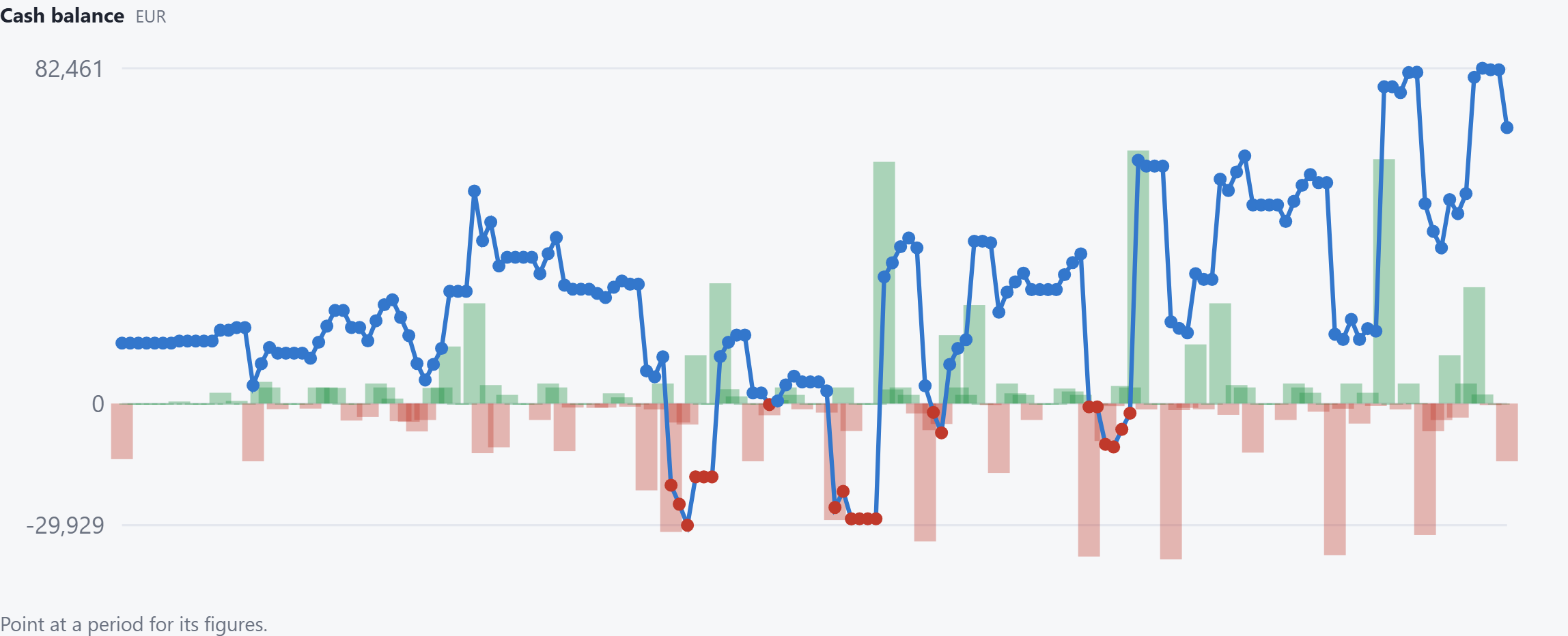
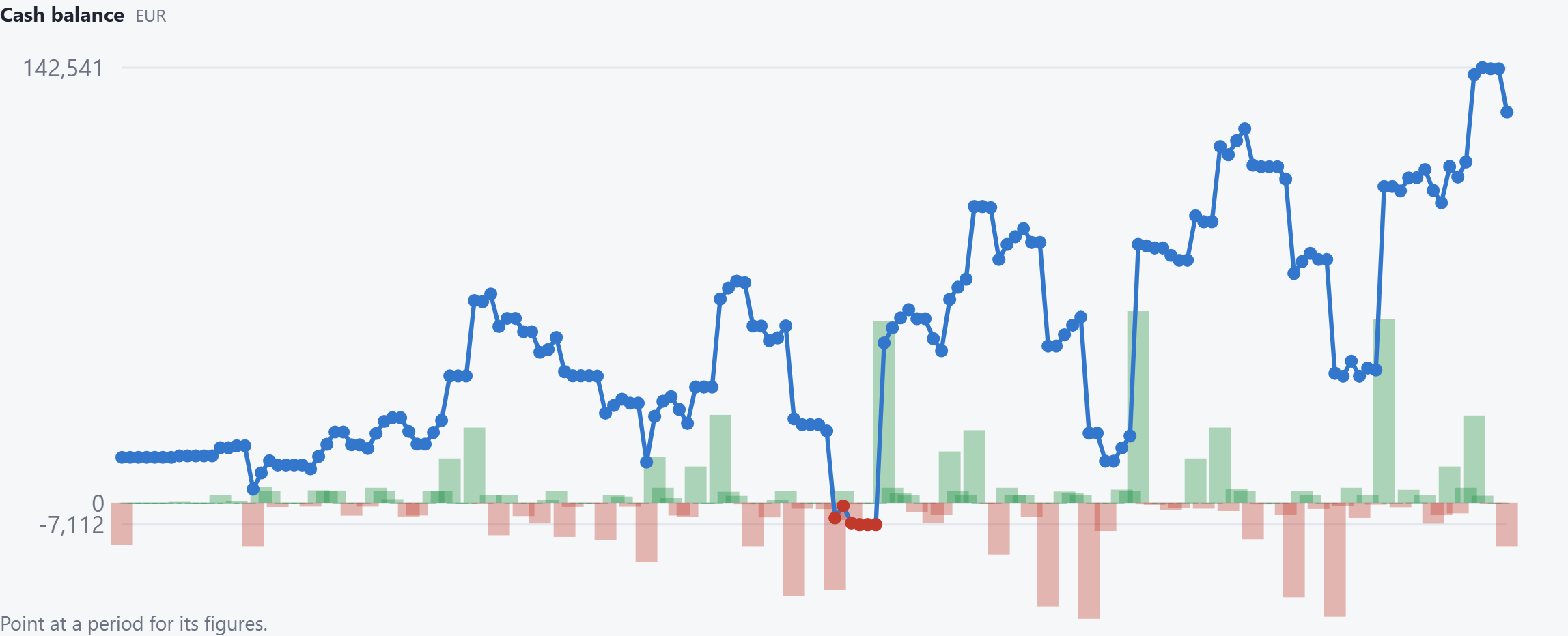
Ask what happens before it happens: when the money goes out, when it comes in, which item runs short, and whether the bank account stays above zero. It walks your own purchase orders, sales orders, repeat deliveries, payroll and reorder rules one day at a time, and reports a cash flow and a profit and loss statement over that window. Two runs of the same question give the same figures, because there is no random number in it.
Learn more →
▶ Run the live demo — no account →
Try it now
💶
Bank accounts, expenses & profit
Record the rent, the wages and the bank balance in the same app as the stock. Every payment says which account it left — the bank, the till, the card — so each balance is the money that really moved through it. Read your bank's own file and say what each line was; the app proposes a match and never applies one. Then the profit and loss statement says what the month actually left you — on a cash or an accrual basis, on every plan, whole.
🔁
Orders and bills that repeat
The same order every week, the rent every month — write the rule once and the document shows its dates. Every date waits for you: press it when the work really happens, and only that invoice or that receipt is made while the other dates stay open. Skip a week, change one delivery, and the rule stays as it is. Rent, electricity and subscriptions repeat the same way, on the Payments out screen: the rule names the vendor it pays and the account the money leaves, the app shows what is due, and it never pays anything without you.
Learn more →
🛒
Shopify & WooCommerce sync
Orders flow in automatically — paid ones as receipts with payments, unpaid as sales orders. Import your store catalog by SKU and push stock levels back after every sale, so you never oversell.
🛡️
Your rules, enforced
Write down how your company works — "anything over 5,000 needs a manager", "never sell an expired batch", "nothing new for customers 30 days overdue" — and the system holds everyone to it, including you. Test a rule against your own last 90 days before switching it on.